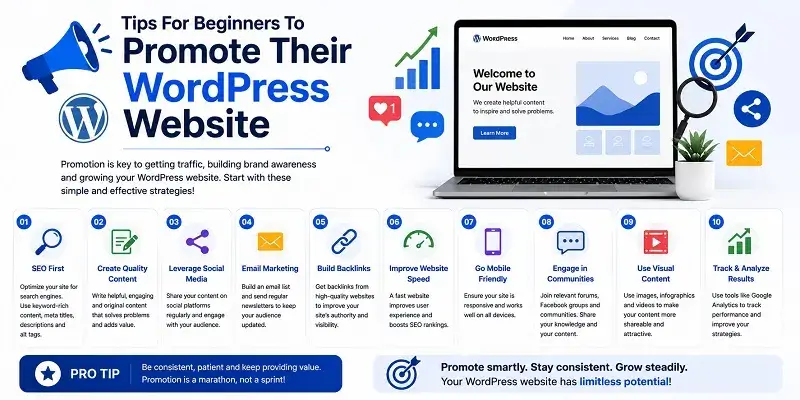
Hey everyone! Today, we’ll share tips for beginners to promote their WordPress website and increase traffic. So keep reading.
Having a personal website or a business website can offer many advantages. They offer a person or a business the chance to address a global audience easily. For businesses, a website with e-commerce features is a simple way to reach a global audience. Creating a personal or business website is a simple task. It’s a project anyone can start on their own. If you do not wish to develop the website yourself, you can seek the services of a web developer.
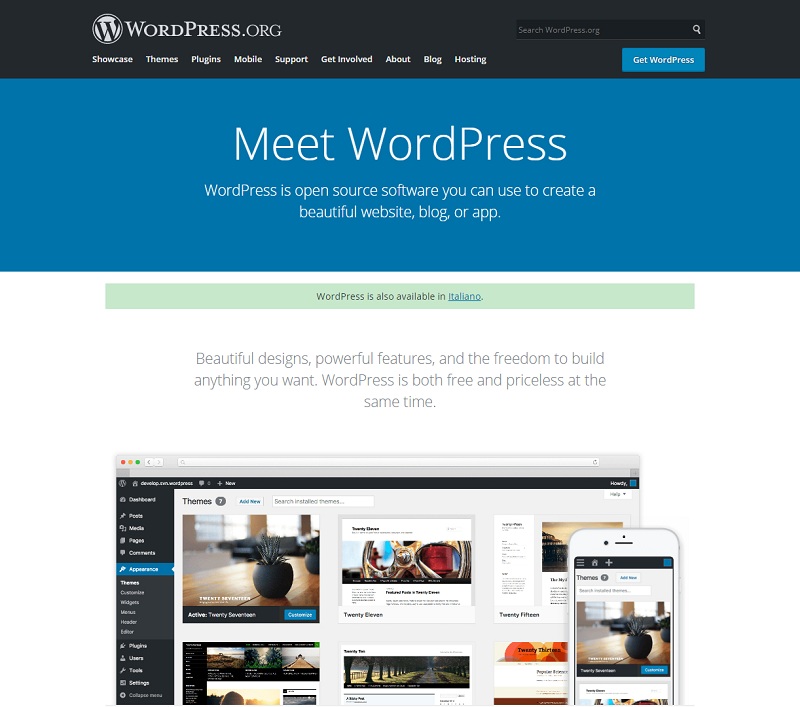
Creating a WordPress website is the first step to enhancing your online presence. A website is successful only when it gets a lot of traffic. Gaining WordPress traffic requires specialized knowledge of how to promote your website properly. But how do you do that?
Tips For Beginners: Promote Their WordPress Website
1. Branding
The first step in designing a WordPress website is building a strong brand identity. This includes your website colors, logo, typography, and the visual style that shows off your business or content. Branding is important; it shows the full image of your business. If you’re building your website, hiring a branding agency can be a wise choice. They can create appealing and professional designs that attract visitors and clients. Improve client interaction by using the top free WordPress client portal plugins. These tools create a more organized and user-friendly experience for your audience.
The branding agency can help with your website. They focus on the color scheme, logo design, user interface, and layout. A good branding agency can manage the entire WordPress development process for you. Marketing companies in Vancouver provide help with the WordPress development process. Marketing companies can help you promote your website. They can link to it once it’s up and running.
2. Blog Regularly
Many people know the basic rule of social media: post often and stay active. This rule applies to websites, too. As a website administrator, you should create a posting plan. Aim for a new post every week. Blogging often gives readers a reason to visit your site. They’ll return to check out the fresh content. Some visitors can even opt to subscribe to your website so that they can get notified every time you post.
Blogging often builds new website visitors’ confidence in your content. This helps to build a strong relationship with your audience and customers. Regular blogging is also an important aspect of search engine optimization (SEO). Regular blogging helps to boost your website’s visibility on search engines. Better visibility on search engines offers a big chance to increase web traffic.
3. Outbound Linking
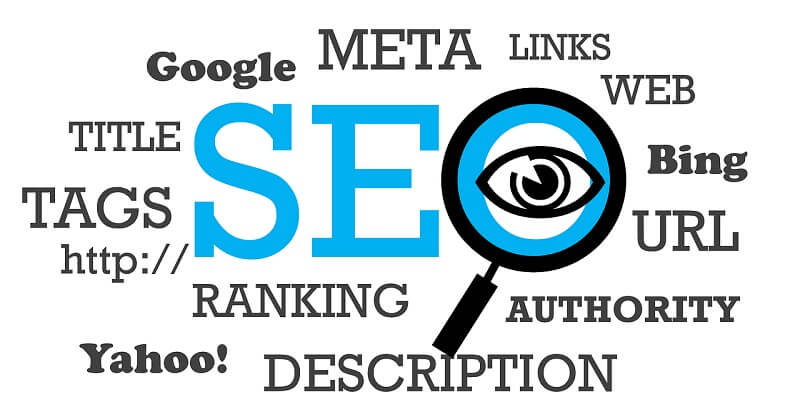
Outbound linking is the use of links that point toward other websites on your website. Many have overlooked it as an SEO strategy. However, it is now clear that it can boost website traffic effectively. However, outbound linking can be a tricky affair that can either make or break your website. You should know some basic ideas about outbound linking before diving in.
Linking to an external website with similar services can hurt your site. You’re promoting your competition. Some readers may choose to join in. It is also important to observe how you insert your outbound links. Outbound links should fit in naturally. This way, it won’t look like you’re promoting another website. Readers often tend to despise any marketing advances in the blog posts they go through.
Outbound links can be used for various purposes in your blog posts. Some of the reasons to include outbound links are:
- To add depth and information to a concept you have highlighted
- To add value to your blog content
- Also, to build trust with your readers by offering genuine information sources
- To prove expertise or professional knowledge in what you are discussing
As a beginner, first learn how to use outbound links. Then you can use them to promote your WordPress website.
4. Social Media Marketing
A recent study shows that people spend about 147 minutes a day on social media. For many, it’s even more. This huge online trend has opened many doors for businesses and creators. They can earn money through digital marketing and engaging with their audience. Social media marketing is a great way to promote products and websites. If you’re new to WordPress, a solid social media strategy can draw in thousands of daily visitors. It can also boost your online presence fast.
When using social media marketing, it is important to focus carefully on ad targeting. To grow your business with social media marketing, first find your audience or niche. This helps you deliver ads to the right people on the right platforms. This can greatly improve the effectiveness of your website advertising campaigns. Social media platforms offer useful ad insights. These help you see how well your marketing efforts are doing. You can use this data to improve weak campaigns. Adjust them to make them more successful and profitable.
5. Optimize Your Website for Mobile Users
In today’s digital world, many people browse websites on mobile phones. So, mobile optimization is key for WordPress growth and user engagement. Mobile SEO: Tips & Best Practices can help your website run well on all devices. If your site isn’t mobile-friendly, visitors may leave fast. This raises bounce rates and can hurt your search engine rankings. A good mobile website should be easy to navigate, load quickly, and be easy to read.
Choose responsive themes to increase website traffic and deliver a smooth browsing experience. Optimizing user experience is crucial for e-commerce sites. Speed and mobile usability greatly impact customer satisfaction and sales. Compress images to speed up loading times. Also, avoid extra widgets or scripts that can slow your site down. To boost your SEO, make your website mobile-friendly. Google gives priority to sites that work well on mobile devices. Websites that work well on smartphones often rank higher. Many users now browse mainly on mobile devices.
Strategic Analysis Organic vs. Paid WordPress Promotion
| Promotion Strategy | Traffic Speed | Setup Cost | Long-Term ROI | Primary SEO Benefit |
| Search Engine Optimization (SEO) | Slow (3-6 Months) | Free / Low Cost | Exceptional (Compounding) | Maximises Core Web Vitals & organic rankings. |
| Content Marketing (Blogging) | Steady | Low (Your Time) | High | Builds deep topical authority with Google. |
| Social Media Marketing | Fast | Free | Moderate | Diversifies traffic sources outside of search engines. |
| Paid Ads (PPC / Social Ads) | Instant | High (Cost-Per-Click) | Low (Stops when budget ends) | Immediate data on user conversion intent. |
Frequently Asked Questions
What is the best free SEO plugin for a beginner on WordPress?
Plugins such as Rank Math and Yoast SEO are great options for beginners. They provide checklists to help users create SEO-friendly content in real time. This works right in the WordPress post editor. They also handle complex tasks in the background, so you don’t need to write any code.
How long does it take to start seeing organic traffic on a new WordPress site?
Normally, it will take three to six months for a new website to begin ranking consistently on Google. This time is often called the “Google Sandbox.” During this time, search engines look at your website. They check if it’s credible, consistent, and secure. Regularly writing blogs and having good internal links can speed up this process.
Will outbound linking drive readers away from my website?
Set your external links to “Open in a new tab” by toggling one switch in WordPress. This keeps your website open in the visitor’s browser window. Linking to reliable sources shows Google your work is well-researched.
How many times a week should a beginner blog to build authority?
The quality of your writing matters far more than the quantity you publish. One good article each week can boost your rankings better than many low-quality posts. Poor content is a key reason your website may not rank in Google. So, it’s crucial to focus on being useful and original for lasting SEO success.
Does my WordPress theme affect my search engine rankings?
Of course. A poorly coded theme or one with too many features can slow your website down a lot. Using smart SEO tips for indexing is key. Google focuses on mobile-first indexing and fast page speeds to rank websites. Pick lightweight themes like Astra, GeneratePress, or Kadence. These can boost performance and help with search visibility.
Conclusion
To market your WordPress website, try different strategies. This helps you find which methods work best for each situation. Using the right audience engagement tools helps you connect with visitors. This builds stronger relationships over time. Organic promotion methods often hold more value than paid ones. They build a loyal audience. So, keep this in mind! A loyal audience shares your content, gives referrals, and boosts your website traffic. I hope this article helps you promote your WordPress website as a beginner.
What you do truly matters. Compressing images speeds up loading. Also, adding links to reliable sources boosts your website’s credibility over time. You do not need to master all five methods in one day. Begin with one or two strategies. Use them consistently. Then, track your progress with the top free WordPress analytics plugins. This helps you understand your traffic and performance better. Then, continue improving step by step. Thank you for reading!