
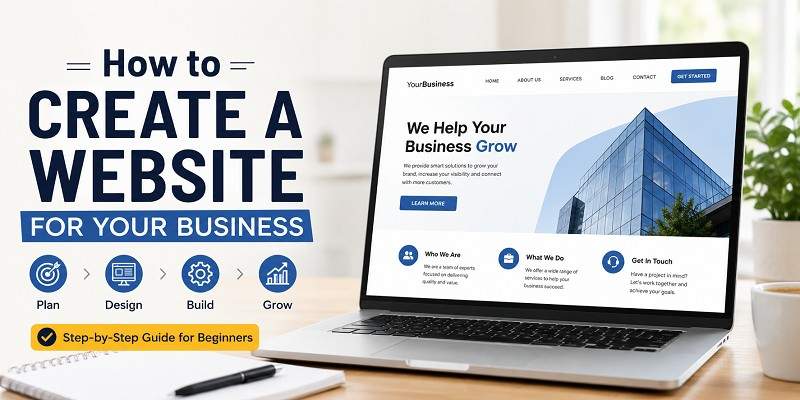
Today’s world is dominated by websites. Creating a website for a business has become one of the most effective investments to make. Whatever stage of development a business is at, whether it is just starting up, developing further, or already having a good reputation in the market, a website will help it reach its goals faster and attract more customers. And the best thing is that no special skills or knowledge are required.
Anybody can create a great-looking and working website, provided there is enough information and help on the topic. This guide will provide all the information about how to create a Website for Your Business, from choosing the best possible domain name and web hosting service through designing a website and making sure it works well in terms of SEO until it starts bringing more profit to the business.
Why Every Business Needs a Website
In this technological age, having a website may be considered one of the most important things that you can do as a businessman. This will serve as your online store where your prospective clients can gain information about your products and services, contact information, and operating hours, no matter where they are. Having a professional-looking site can help establish credibility, reinforce your brand and even increase your customer base because it goes beyond the typical forms of marketing. Having an effective site can even help you rank high on Google and other search engines.
Benefits of Having a Professional Business Website
Having a professional business website can be among the most significant possessions a company has. It builds credibility, highlights your product/service, and ensures your business is available to your customers on a 24/7 basis. An effective design also boosts your presence in search engines, thereby increasing the chance that your potential customers will find your business. The website serves as a single point where all necessary information can be presented, and leads can be created. Having a professional website in today’s internet-driven environment is an effective means to promote a good impression of your brand and ensure customer confidence.
- Professional Design: Gives a good first impression and creates brand credibility.
- Mobile Responsive Design: Provides a seamless experience across smartphones, tablets, and computers.
- Quick Page Load Speed: Enhances user experience and provides better search engine ranking.
- Search Engine Optimisation: Increases your website’s visibility on Google searches.
- Easy Navigation: Helps users navigate easily through your site to find products/services and relevant information.
- Secured Website (HTTPS): Keeps customer data secure and increases trust.
- Contact Form and Call-to-Action Buttons: Invite users to ask questions, get quotes, or buy from you.
- Excellent Content: Engages your visitors and makes you a recognised industry expert.
- Social Media Integration: Integrates your website with your social media accounts.
- Website Analytics and Performance Tracking: Tracks visitors’ behaviour and enhances your marketing efforts.
What You’ll Learn in This Guide
Website development is one of the most critical things that one can do to advance their business in the contemporary digital world. It may be difficult to know how to proceed when it comes to creating a website, whether for the first time or improving an already existing one. This website creation guide is intended to make the whole process easy and clear to comprehend.
This guide will teach you how to plan your website, what tools to use, design it professionally, write relevant content, and optimize it for better results. Such issues as website security, mobile responsiveness, search engine optimisation, and maintenance will also be discussed. At the end of this guide, you will know how to do everything necessary to make your website look professional.
What You Need Before Creating a Business Website
Before you start constructing your company website, it’s crucial to have a clear strategy in place. Taking time to prepare may save you money, avoid errors, and make the whole process much easier. Think about what you want your website to achieve, who your ideal customers are, and the type of information or services you want to provide. You should also decide on your budget, compile your company facts, establish a list of necessary pages, and prepare your branding aspects, such as your logo and colours. With a strong foundation, you’ll be able to develop a professional website that efficiently supports your company objectives and delivers a wonderful experience for your visitors.
Define Your Business Goals
Before you start developing your website, you should first determine your objectives. For example, you may wish to generate leads, sell your products, schedule appointments, build brand recognition, or distribute information. Defining your objectives will allow you to choose the right web design for your project and make sure that all of its elements help your business develop.
Identify Your Target Audience
Before designing your website, you should know who your target audience is. Consider aspects such as age, hobbies, geographical location, their needs, and the issues they wish to address. Knowing your target audience will help you generate content and pick a proper design that addresses the demands of your audience, thereby increasing the chances of converting visitors into buyers.
Decide the Purpose of Your Website
Once you have decided to develop a website, it is important to first determine its goal or purpose. The question that you will need to ask is: “What exactly should my website accomplish?” Should your visitors get to know more about your company? Should they buy products from you? Should they contact you for any services?
Plan Your Budget
Before creating your website, decide how much you’re willing to spend. Consider fees such as a domain name, web hosting, website design, premium themes, plugins, and continuing maintenance. Setting a realistic budget helps you pick the correct tools and minimise unforeseen charges while ensuring your website fits your company objectives without overpaying.
Choose the Right Type of Business Website
Choosing the right type of business website will serve as the cornerstone of your success in the online world. The right choice of website type will largely depend on the specific objectives of your business, as well as the type of products or services offered and the needs of your target audience.
Informational Website
The informational site serves to inform visitors about the organisation or individual who owns the website. This site usually features pages like Home, About, Services, and Contact, where you will be able to get knowledge about your products or skills. The best option for any company or professional wishing to create a trustworthy image on the Web.
E-commerce Website
An E-Commerce Website is where companies can sell their products or services to customers via the internet. This platform contains basic elements like a listing of products, a shopping cart, a secure payment gateway, and ordering. Be it a small store or an online company, an E-Commerce Website helps in reaching out to more people and boosting your sales.
Portfolio Website
Portfolio websites aim to display the works and achievements of their owners in a professional manner. These types of websites are highly suitable for independent workers and creative people, including graphic designers, photographers, web developers, copywriters, and artists who wish to attract customers or employers. Through a portfolio website, it becomes easy to showcase the best work done by its owner.
Service-Based Business Website
Service-oriented business websites are created for the purpose of displaying services provided by companies and inviting prospective clients to reach out. Service descriptions, prices (where applicable), testimonials, contact information, and prominent call-to-action buttons are some of the features that can be found on such a website.
Booking or Appointment Website
The booking or appointment website will enable customers to book their services online conveniently. This website will be great for companies that offer salon services, clinics, consultancy, training services and repair services. These sites come with online calendar systems, appointment forms, automatic confirmations and even payment systems, which makes the process fast and easy.
Pick a Domain Name
Domain names form the unique web address of any website and will make the first impression of your company. Pick a name that is concise, memorable, spellable, and relevant to your brand. An appropriate domain name will increase the visibility of your website and create a sense of reliability for your brand.
What Is a Domain Name?
Your domain name is the address of your website on the internet, where people can access your website by typing in yourdomainname.com. It is used to simplify the IP address of a website with an easy-to-remember name, making it convenient for customers to locate your business on the internet.
Tips for Choosing the Perfect Domain
Selecting a domain name is important. You should select a short and easily memorable domain name. You can make your name catchy by using keywords associated with your business. To should keep it short and simple and make sure it doesn’t contain any hyphens or numbers. To need to be certain that your chosen domain is not trademarked or copyrighted.
Best Domain Extensions (.com, .net, .co, etc.)
Choosing the right type of domain extension will help establish trust and ensure a strong presence on the internet. The best choice for companies is the .com extension, which is the most recognisable and widely used one. For technology websites, you should choose the .net extension, while .co is a relatively new one.
How to Register Your Domain
Registering a domain is not a complicated task. The first step would be to pick a domain registrar that you can trust and look for your desired domain. If the name you selected is available, proceed by choosing a period for which you want to register it and give your contact information. Once it is registered, link it to your hosting services.
Choose a Reliable Web Hosting Provider
Finding a trustworthy hosting service can be critical to the speed, reliability, and security of your website. A reputable hosting service guarantees fast load times, high uptime, excellent security, and reliable support. When choosing a hosting company, it is crucial to evaluate various aspects such as hosting services and prices to identify one that will fit the future requirements of your business.
What Is Web Hosting?
Web hosting is basically an internet service which stores all the information related to your website and serves it to users over the internet. Whenever your domain is typed in a browser, your website’s data is served by the hosting server to the user’s computer. An efficient web host will provide you with high speeds and uptime.
Types of Web Hosting
The choice of the right web hosting solution is very important for the success of your website. The type of hosting solution that will be best for you is based on the requirements of your business, which will depend on the size of your website, the traffic it handles, and your budget. The popular forms of web hosting solutions are shared, VPS, Cloud, and Dedicated.
Shared Hosting
Shared hosting is one of the most economical web hosting alternatives for beginners and small enterprises. In this hosting option, numerous websites share the same server resources, which helps keep prices down. It’s simple to operate, needs no technical experience, and is perfect for websites with low to moderate traffic.
VPS Hosting
VPS (Virtual Private Server) hosting is a form of web hosting that delivers dedicated resources inside a shared physical server. It provides superior speed, security, and flexibility compared to shared hosting, making it an excellent alternative for expanding enterprises, high-traffic websites, and individuals who require more control over their hosting environment.
Cloud Hosting
Cloud hosting keeps your website across numerous linked servers instead of depending on a single physical server. This arrangement delivers greater dependability, quicker performance, and enhanced scalability. If one server suffers a difficulty, another takes over, decreasing downtime. It’s a good alternative for expanding enterprises that foresee increased website traffic.
Dedicated Hosting
Dedicated hosting offers a whole physical server specifically for your website, allowing you full control over its resources, security, and setup. It gives exceptional performance, quick loading times, and high dependability, making it perfect for big organisations, high-traffic websites, and applications that demand maximum stability, customisation, and security.
Features to Look for in a Hosting Provider
When looking for a hosting company, make sure they have strong security, automatic backups, SSL certificates, quick customer service, and the ability to easily add more space. To make sure your website runs easily and safely, a good hosting service should also give you enough space, regular changes, and an easy-to-use control panel.
Common Hosting Mistakes to Avoid
Choosing the cheapest hosting plan without considering speed, security, or scaling can lead to slow loading times and frequent failures. Don’t forget about SSL keys, customer service, and backup choices. Always choose a hosting company that you can trust, one that has a high uptime, regular updates, and the ability to grow with your business.
Select the Best Website Builder or CMS
Selecting the correct website building tool or content management system (CMS) is an important step towards building a successful website. The most suitable option will have to be easy to use, adaptable, secure, and scalable. Think about the requirements of your organisation, financial capacity, and future prospects before you make a choice.
Website Builder vs CMS
Website builders and content management systems (CMS) are tools that assist in building websites, although the way they function differs from each other. The website builder gives you an intuitive user interface and is therefore suitable for people who have no prior knowledge about website development. While the content management system is very flexible, it takes some time to set up.
WordPress
WordPress is the world’s leading CMS used to run millions of websites around the world. It provides thousands of themes, plugins, and other features that make it easy for even non-technical users to develop blogs, business sites, e-commerce sites, portfolios and many other types of websites without requiring any complex coding knowledge.
Wix
Wix is an easy-to-use website builder that enables the creation of a professional website without the need for any coding skills. The website builder provides features such as drag-and-drop functionality, templates, SEO features, and reliable hosting. The Wix website builder is best suited for small businesses and startups.
Shopify
Shopify is an example of a leading e-commerce platform which can be used by businesses to sell their products on the internet. It provides several features in one single package, including payment solutions, inventory management, themes, and marketing. It also has an easy-to-use interface that makes it easier to operate.
Squarespace
Squarespace is a widely used web development platform that has beautiful layouts and a user-friendly interface. With Squarespace, people can build professional websites without any need to code. It offers features like blogs, eCommerce, scheduling, SEO, and marketing tools that make Squarespace a great option for small businesses and freelancers.
Webflow
Webflow is a contemporary website development tool which enables its users to have both visual designing and customisation options in one single package. This tool enables people to develop responsive and professionally designed websites without any need for deep knowledge about coding languages, while providing great design options to web developers.
Which Platform Is Best for Your Business?
The choice of the right platform is determined by your personal goals and budget. In case you require flexibility and growth potential, WordPress can be a good option. For those who plan to open their online store, Shopify would be a perfect option. For starters, who are interested in the simplicity of using the website, Wix and Squarespace would be a good fit.
Design Your Business Website
Your website’s design plays a significant part in making a great first impression and developing trust with visitors. A clean, professional, and easy-to-navigate design helps customers access content fast and encourages them to remain longer. Focus on a consistent layout, beautiful images, and a user-friendly experience to produce a website that represents your brand and supports your company objectives.
Choose a Professional Template
Choosing a quality template is the basis of a successful website. A clean, contemporary, and well-structured design promotes your brand image while making your website simple to access. Look for a responsive design that works fluidly on all platforms, loads fast, and gives customization possibilities. The correct template helps generate a pleasant first impression and enhances the entire user experience.
Brand Colors and Typography
Your brand colors and typography play a vital part in generating a memorable first impression. Choose a consistent color palette that matches your brand’s personality and utilise easy-to-read typefaces throughout your website. Maintaining uniformity in colors, font styles, and text sizes helps develop trust, enhances your brand identity, and gives visitors with a professional and visually pleasing experience.
Mobile-Friendly Design
A mobile-friendly design guarantees your website appears and performs seamlessly on smartphones, tablets, and other mobile devices. Since most customers access the internet on mobile phones, your site should load quickly, show material clearly, and enable simple navigation. A responsive design also enhances user experience, decreases bounce rates, and helps your website rank better in search engine results.
User Experience (UX) Best Practices
A excellent user experience (UX) helps visitors access content quickly and encourages them to remain on your website longer. Keep your design clean, navigation straightforward, pages fast-loading, and material easy to read. Use clear calls-to-action, maintain consistent layouts, and ensure your website operates properly on all platforms to give a good and engaging browsing experience.
Navigation and Menu Structure
A clean navigation and well-organized menu help visitors get the information they need fast. Keep your menu basic by include vital sections like as Home, About, Services, Blog, and Contact. Use meaningful labels, maintain a logical sequence, and avoid overloading the navigation. A user-friendly menu enhances the browsing experience and encourages users to remain on your website longer.
Create Essential Website Pages
Every effective business website comprises a set of important pages that give users with the information they need. These pages assist develop trust, enhance user experience, and encourage prospective consumers toward taking action. From introducing your company to exhibiting your goods or services and offering contact data, each page plays a crucial part in developing a professional and informative web presence.
Home Page
The Home Page is the first impression visitors receive of your company, so it should clearly describe who you are, what you provide, and why clients should select you. Use an engaging title, a quick explanation, eye-catching pictures, and clear call-to-action buttons to drive visitors toward contacting you, researching your services, or making a purchase.
About Us Page
The About Us page presents your business and helps visitors understand who you are, what you do, and why your firm exists. Share your narrative, purpose, beliefs, and experience to generate trust and confidence. A real and well-written About Us page may develop a strong connection with prospective clients and inspire them to pick your company.
Products or Services Page
The Products or Services page is where you describe what your firm provides. Clearly define each product or service, emphasise its important features and advantages, offer price if necessary, and include strong call-to-action buttons. Well-organized material helps visitors comprehend your offers and motivates them to make an inquiry or buy.
Contact Page
Contact page will make it easy for customers to get in touch with your company. This page should contain the telephone number, email address, physical address of the company, contact form, and operating hours. Including the map and linking your social media accounts on this page will build up credibility for asking queries.
Blog Pag
Blog pages are a useful way to disseminate vital information, industry knowledge, company news, and tips to your audience. Consistent creation of good content will ensure that you gain the trust of your readers, generate more website traffic, boost your online visibility, and position your company as an authority in your industry.
FAQs Page
The purpose of an FAQs section is to address the questions that your customers might ask regarding your company, products, or services. This way, they will be able to quickly find the information they require without seeking any help from customer service representatives.
Privacy Policy
The Privacy Policy tells you how you will use personal data like people’s names, e-mail addresses and contacts when they visit your website. It builds up the credibility and helps to keep things transparent. It is also possible that it might be needed by law according to where you operate your business.
Terms & Conditions
Terms & Conditions is an online page that contains rules and policies for the usage of your website. It ensures your safety from any damage as it covers such aspects as the responsibilities of users, acceptable use of your site, intellectual property rights, limitation of liabilities, and how to deal with disputes.
Write High-Quality Website Content
A good website requires high-quality content as its base. It needs to be understandable, helpful, interesting, and written in accordance with your audience’s requirements. Your main objective is to answer all the queries of your website visitors, highlight your products/services, and use a nice tone to motivate visitors to do something.
Homepage Copy
The content of your home page is your initial communication with your potential customers about your business, and hence the content needs to be appealing and effective enough to attract people’s attention. It is important for you to tell them about yourself and about your products or services and how you can benefit them.
Service Descriptions
The following are some things that your descriptions for services must contain; they include what the company has to offer, its benefits to customers, and the reason the customers should buy from your firm. Make sure that you use clear language to make it easy for your customers to understand.
About Page Content
It is important to use your About page to communicate the story behind your business in an authentic manner. This is the place where you can introduce your organization, state its mission and values, and describe your experience and expertise. This is the right place for you to tell who you are and what your business is about.
Calls-to-Action (CTAs)
CTAs help visitors progress to the next step within your website; steps such as making contact with you or your business, asking for a quote or reservation, or even purchasing from your site. Phrases such as “Start Now,” “Get in Touch with Us,” or “Request a Free Quote” work well for CTAs.
SEO-Friendly Content Writing Tips
Provide information through writing that helps your target audience get their queries resolved. Make sure that you use appropriate keywords within the heading and throughout the text without stuffing them. Short paragraphs, descriptive headings, internal linking, and a strong call-to-action should be used in your content writing process. Regular updates of your content will be beneficial for you.
Optimize Your Website for SEO
The use of SEO makes it possible for your site to rank high on search results and to receive more organic traffic. Through the process of content optimization, the use of the right keywords, speeding up of pages, structuring of sites, and improving of user experience, your site can have more visibility.
Keyword Research
Keyword research involves the identification of the keywords and phrases used by your target audience when using search engines. This involves selecting keywords that will allow you to develop content in line with your audience’s needs, thereby ensuring that your website ranks well in search engine results.
On-Page SEO
On-page SEO refers to the practice of optimizing specific web pages to increase their visibility in the search engine rankings. This involves incorporating suitable keywords, developing meaningful headings, ensuring high-quality content, optimizing pictures, using internal links, among other techniques. Effective on-page SEO will assist the search engines in understanding your content.
Meta Titles and Descriptions
Title tags and meta descriptions play an essential role in search engine optimization. Make sure to create clear and unique meta descriptions for all your pages to help search engines understand what your pages are about and make people click on your website from the search engine results page.
Internal Linking
The internal link works on the same website by creating a relationship between two pages from the same website. Such a link helps in distributing page authority, improving the user experience, helping visitors read other pages, and ensuring proper indexing, all of which will help increase your search engine ranking.
Image Optimization
Image optimization makes your website more quickly loading but not compromising on visual appearance. You can achieve image optimization through compression, use of meaningful file names, and appropriate alt text. Using the right format of images and proper responsive sizes of images will make your website more efficient, SEO-friendly, and user-friendly.
URL Structure
A good and descriptive URL structure makes it easy for the users as well as for the search engines to interpret what the content is all about. You need to keep the URLs short, clear, and relevant by adding your main keyword to it and using dashes between the words.
Schema Markup
Schema markup is an organized way of presenting data to help search engines interpret your site. This may enhance the presentation of your site on the search engine results page, with the inclusion of features like reviews, FAQs, and other relevant information. By adding schema markup to your website, you increase its visibility.
Core Web Vitals
Core Web Vitals are a number of performance metrics that measure how quickly your website loads, how interactive it is, and how stable it appears visually. When your website is fast and efficient, it ensures you a good experience, less bounce rates, and high chances of better search engine optimization.
Add Essential Business Website Features
Incorporating the necessary features into your business site enhances the user experience, fosters trust, and encourages action. The incorporation of vital features such as contact forms, live chat, customer reviews, social media links, Google Maps, and email subscription forms makes your website functional and enhances your business operations as a whole.
Contact Forms
The contact form is very handy in helping your clients contact you within the confines of your website. The use of the contact form is advantageous in that it allows you to organize inquiries and feedback in an effective manner, as well as prevent spam, which would otherwise be caused by displaying your email address.
Live Chat
Having the live chat on your website means that your site visitors will be able to get immediate responses to any inquiries that they might have without having to wait until you respond through email or telephone calls. It will enhance customer service, increase trustworthiness and engagement.
Social Media Integration
Incorporating social media into your site helps make it easy for customers to interact with your brand through various platforms. Include social media icons, sharing buttons, and feeds on your site to boost interactions, expand your reach, and facilitate sharing of content.
Google Maps
The addition of Google maps on your website allows the customer to locate your business premises easily. It adds value in terms of convenience for the user, as well as building credibility and increasing your presence on the internet locally. It works even better for physical companies that have office locations or retail outlets.
Testimonials and Reviews
The testimonials and reviews are very important in increasing the level of trust because the actual customer experiences can be seen. It improves your credibility and makes your customers feel comfortable when buying from you. Always make sure that the testimonials you post on your website are actual and up-to-date.
Email Newsletter Signup
An email newsletter subscription form is something that allows you to remain in touch with your subscribers by adding their email addresses to your mailing list. This way, you will be able to share company news, new products, discounts, blog posts, and useful advice. Having an email list will help you attract more customers.
Analytics Integration
By using the analytics tools on your website, you can get to know about the way users are engaging with your site. It enables you to keep a track record of traffic sources, user activity, popular pages, and conversion rate. This would help you know the strengths and weaknesses of your website.
Make Your Website Secure
It is very important to have a safe website so that you can protect your company, client data, and reputation online. A safe website prevents hacking attacks, malware infections, and other unauthorised actions. A safe website is ensured by using an SSL certificate, making backups, creating good passwords, and using security software.
SSL Certificate
SSL certificate is responsible for the encryption of any data that is being exchanged between your website and its users, including such important information as usernames, passwords, and contacts. In addition to that, having an SSL certificate ensures the presence of a lock icon in your browser.
Website Backups
Backup of websites is a process that protects you from any problem arising in future, like hacking, server crash, deletion by mistake, or software glitches. Through this process, you will be able to restore your website without any delays or loss of any content and customer data stored on the site.
Security Plugins
The security plugins can be helpful in safeguarding your website against hackers, malware attacks, brute force logins, and other such online dangers. The security plugins come with various features that include a firewall, malware scans, login security, and many more that can help keep your website safe. Updating your security plugins regularly keeps your website secure.
Spam Protection
The prevention of spam is a method that can help to protect your website from unnecessary emails, fake form submissions, and harmful bots. Applying such solutions as CAPTCHA, spam filters, and email verification, one can avoid misuse. Constant monitoring of contact forms and comments is also an option that should not be overlooked.
Test Your Website Before Launch
Ensure that you test all features before making your website live. Some features to test include page load time, mobile compatibility, navigation, contact forms, links, and other features. It will be much easier for you to identify and fix any problems that exist, which will create an error-free website for your clients from the start.
Mobile Responsiveness
Mobile responsiveness will enable you to have your website adjust itself based on the size of the screen, whether it is a smartphone or a tablet. Having a responsive design makes reading easy, navigation easy, and enhances the overall user experience. This is because the majority of your audience is on mobile devices.
Speed Testing
Before going live with your website, you should perform tests on its speed to ensure that users have an excellent experience browsing through it. Having a website that loads fast is essential in keeping users involved, decreasing bounce rates, and ranking higher on search engines.
Browser Compatibility
Prior to making your website live, ensure that you test it using various browsers like Google Chrome, Microsoft Edge, Mozilla Firefox, Safari, and Opera. This will ensure that your website works perfectly for everyone since it will display perfectly, work well, and load fast for everyone who visits it.
Fix Broken Links
To create a business website that provides an excellent user experience, dealing with broken links should be a priority. Broken links not only lead to frustration among your website visitors but may even decrease your search engine ranking. Therefore, before the launch of your website, always check your links to make sure they are working.
Check Forms and CTAs
Before launching your website, test every contact form, inquiry form, and newsletter signup to verify that inputs are processed appropriately. Verify that any call-to-action (CTA) buttons, such as “Contact Us,” “Request a Quote,” or “Get Started,” redirect to the relevant sites. Well-functioning forms and clear CTAs enhance user experience, assist Business website SEO, and aid increase conversions.
Launch Your Business Website
Once your business website design is complete, tested, and optimised, it’s time to launch your website. Before going live, check every page, test all links and forms, and verify your site functions properly on both desktop and mobile devices. A successful launch signals the beginning of your online presence, enabling prospective buyers to find your company and engage with your brand confidently.
Final Pre-Launch Checklist
However, it is important that prior to putting up your website online, you spend a little bit of time checking all the aspects carefully. Ensure that all pages are in place, all links are working, all forms are functioning properly, images are loading fast, and the website renders properly both on desktops and on mobile phones. All necessary features are enabled, the content is checked for errors, and the SSL is in place.
Submit Your Website to Search Engines
Once your website is up and running, submit it to popular search engines to allow your webpages to be indexed quickly. Use XML sitemaps by using online applications such as Google Search Console and Bing Webmaster Tools. Keep track of your website’s indexing status and update your sitemap every time you add a new page.
Announce Your Website Launch
Once your website is up and running, make sure to let everyone know that it’s out there. Announce the launch through your social media accounts, email your clients and let everyone on your business page know the address of your new website. Let friends, clients, and business partners know that they should check it out. Such a launch will ensure you get some initial visitors.
Promote Your Business Website
Website launch is just the first step. You will need a good promotional strategy if you want to get people on your site and help your business thrive. Promoting your site will involve SEO, social media, email marketing, local listing, and quality content, among other activities. This way, you can ensure that your website gets maximum visibility and credibility.
Local SEO
Local SEO allows your business to show up on the internet searches that are done in connection with the purchase of products and services in your locality. With local SEO, you can optimise your website using the right information and relevant content and also through customer testimonials, in order to get closer to potential customers in your locality.
Content Marketing
Content marketing is probably one of the most powerful ways to bring in visitors and earn their trust. When you publish useful blog articles, videos, and guides on a regular basis, not only will you be able to address some of your clients’ concerns, but also show your professionalism and make your site more visible online.
Email Marketing
Using email marketing can help you maintain contact with your clients as well as market your products/services. With emails that contain information such as special offers, newsletters, personalised messages, and any other updates, you can establish better connections and even have a better chance of getting a repeat purchase. The use of emails is also helpful in boosting traffic on your website.
Social Media Marketing
Using social media for marketing purposes is one way to market your site and interact with many people. When you post meaningful information on Facebook, Instagram, LinkedIn, and X, you will be able to improve your brand awareness, get more visitors to your site, and increase lead generation and customer engagement.
Paid Advertising
Paid ads are a very efficient means of contacting prospective clients and getting your website seen. Using tools such as Google Ads, Facebook, Instagram, and LinkedIn allows you to focus on particular audiences in accordance with their preferences and interests. Combined with a good-looking website, this tool will attract visitors and help you make profits from your marketing activities.
Google Business Profile
Google My Business will help you get listed on both Google Search and Google Maps, making it easy for people in your area to discover you. You should keep your listing up-to-date with all the correct information, such as contact numbers, opening times, pictures, and reviews. A good listing will earn trust and bring more clients to you.
Maintain and Update Your Website
Website maintenance is crucial to ensuring that you keep your website safe, secure, and fast and offer a good user experience. Website maintenance will help in fixing technical problems, improving your SEO ranking, and ensuring that all the information presented to your visitors is up to date.
Regular Content Updates
Having new content is necessary for keeping your website fresh and allowing visitors to come back again and again. Keep your blog articles, services information, product details, and company news updated to maintain the accuracy of your site’s content. This will show the search engines that your website is active.
Plugin and Software Updates
If your website makes use of plugins, themes, and/or a content management system, make sure that all such elements are updated to their latest versions. Updates enhance the performance of a website by fixing bugs, introducing new features, and plugging security holes. Always take a backup of your website before making any update.
Monitor Website Performance
Make sure you monitor the website’s speed, its uptime, and other performance factors regularly to make sure that the site loading experience is good for the visitors. Otherwise, you may have higher bounce rates and may be negatively affected in the rankings of search engines.
Improve Security
Your website can be secured through the use of strong passwords, activation of SSL encryption, installation of security software, and backing up your website on a regular basis. Make sure that your software is up to date to avoid security issues and check your website for any malware.
Track SEO Rankings
Keep track of your website’s keyword rankings to get an idea about the performance of your pages in the SERP. Analyse the data related to the organic traffic, impressions, and click-through rate. This will give you insight into your SEO performance, allowing you to improve your pages over time.
Common Mistakes to Avoid When Creating a Business Website
Creating a website is merely the first step. To achieve long-term success, you must avoid typical blunders that might impact user experience, search rankings, and conversions. Whether you’re following a business website guide or attempting to design a company website for the first time, knowing these flaws can help you develop a website that performs better and supports your business objectives.
Choosing the Wrong Platform
Selecting the incorrect platform might restrict your website’s development and functioning. Before you build a business website, examine several platforms depending on your budget, customisation demands, and future ambitions. A scalable platform will save time, cut expenses, and make it simpler to extend your website as your company expands.
Ignoring Mobile Users
Since most people access websites using their phones, neglecting mobile users will result in a bad experience and potential loss of customers. Make sure that your website is completely responsive and loads properly on all screen sizes. For a beginner’s business website, mobile responsiveness should always be of high importance.
Slow Website Speed
A sluggish web page will annoy users and can harm your SEO rating. Use image optimisation, good hosting services, caching, and delete unnecessary plugins to make your site load faster. A speedy website will keep users engaged and entertained, and also increase the likelihood of converting them into customers.
Weak Calls-to-Action
Your visitors should be given a good idea of what they have to do. Poorly designed calls-to-action lead to lower inquiries, fewer sales and fewer sign-ups. Visitors should be guided with simple buttons like “Contact Us,” “Free Quote,” or “Book a Consultation.”
Poor SEO
SEO can be challenging for even the most beautifully designed website that does not have it. Make sure that you optimise your website titles, headings, meta descriptions, pictures, and content with the right keywords. It will ensure that search engines understand your website better.
Not Tracking Performance
If you do not track the progress of your website, then you will be unable to identify the strengths and weaknesses that exist. Utilise resources such as Google Analytics and Google Search Console to help gauge metrics such as traffic, conversion rates, and search performance.
Cost of Creating a Business Website
The cost of establishing a website depends on your company’s objectives, selected platform, and desired features. A small company website may be constructed on a minimal budget, whereas bigger websites may demand significant expenditure. Understanding these charges is one of the most significant website creation steps, particularly for business websites for beginners establishing their initial online presence.
Domain Costs
The domain name is the URL of your website and typically comes with an annual registration fee. The fee depends on the type of domain, but normally it is not very expensive. Selection of an appropriate domain name is among the initial steps in the process of creating a website.
Hosting Costs
Web hosting keeps your website data and allows access over the internet. Hosting services may include affordable shared hosting, cloud, or dedicated servers. When choosing web hosting for your small business site, you don’t necessarily need expensive services; an adequate hosting package will do just fine.
Website Builder Costs
The web builder offers various pricing models depending on the features, storage space, and level of customisation one requires. Various web builders offer subscription models that are very affordable on a month-to-month basis and are perfect for beginner websites for business due to their ease of use.
Design Costs
Website design expenses will depend on how you choose to build your site using either a free template, a paid theme, or a professional website designer. It is worthwhile to make an investment in a neat design that leaves a good impression on all your website visitors.
Ongoing Maintenance Costs
Once you have created your website, there will be costs associated with maintaining it. Some of the areas that will require attention include paying for the renewal of your domain and web hosting, upgrading your plugins or software, ensuring the security of your site, developing new content, and solving any technical problems.
How Long Does It Take to Create a Business Website?
The cost of developing a company website depends on your goals, features, and the tools you use. A simple website may cost a few dollars per month, whereas a more complicated or professional business website may need a greater budget for design, hosting, premium themes, and maintenance. Planning your budget in advance helps you prevent unexpected spending.
DIY Timeline
If you use a website builder for business or WordPress, you may develop a simple website within a few days. However, adding quality content, graphics, SEO, and testing may take one to three weeks. The timing depends on your expertise, website size, and how much time you can spend on the project.
Hiring a Professional
Another very good solution for creating a professional website is to hire a web developer/designer. The creation process will depend on how complex the project is, but normally it will take two to eight weeks. A professional can provide you with an optimal website that will work properly.
Factors That Affect Development Time
Several elements affect the website creation process duration, such as the number of pages, special designs, writing the content, adding the needed functionality, and editing. It is essential to select the best web builder for business, collect all the required information beforehand, and make decisions immediately to save time.
People Also Ask (FAQs)
How do I create a website for my business?
Begin by setting up the objectives of your business and deciding who your target audience is. Select a suitable domain name, quality web hosting, and a website development tool. Make the important pages, post informative content, improve your site’s SEO, and keep updating your website.
How much does it cost to build a business website?
Cost is dependent upon your site’s size, features, and design needs. An easy website will be cheap, but an advanced website which includes custom features will be expensive. It is important that you plan for the purchase of your domain name, hosting, design, premium tools, maintenance and development.
Can I create a business website for free?
Yes, you can construct a basic website through the use of free website builders or open-source software. But, in most cases, free options come with limited functionality, ads, and branded domains. Therefore, it is better to buy a domain name and hosting for your site.
What pages should a business website have?
Professional business websites should have the following pages – a Home Page, About Us, Products/Services page, a Contact page, a Blog, FAQ’s, Privacy Policy, and Terms & Conditions. The importance of such pages is that they allow for a better understanding of your business.
Which platform is best for a business website?
The choice of platform will depend on your objectives and skill level. WordPress is highly flexible and great for SEO; Shopify is perfect for e-commerce; Wix and Squarespace are good for novices; and Webflow is excellent for creative visual design work.
Do I need a domain name and web hosting?
Yes, because the domain name provides your site with its unique identification on the internet, whereas web hosting provides you with a place where you can store your website and make it available to everyone online.
How long does it take to build a business website?
A small website can usually be constructed in a matter of days, whereas big or tailor-made websites could take several weeks to complete. This depends on the design, content, functionality, revisions, and whether the website will be built by you or a professional web developer.
How can I make my business website rank on Google?
Content creation, keyword selection, optimisation of page titles and meta descriptions, speeding up website performance, obtaining quality backlinks, internal linking, and making sure that your website is mobile-friendly will be crucial in increasing your website’s rankings in the search engines.
Should I hire a web designer or build it myself?
In case your financial resources and technical know-how are limited, doing the job yourself is an option to consider. On the other hand, if your requirements include a tailor-made design, improved functionality and speed, then employing a professional makes sense.
What are the essential features of a business website?
Responsive design, faster loading time, navigational features, HTTPS, contact details, contact forms, customer testimonials, SEO, social media integration, and calls-to-action are some important elements that should be present on any website. They all serve to improve user experience and convert visitors into customers.
Key Takeaways
Steps to Create a Successful Business Website
Developing an effective business website requires proper planning and goal setting, knowing the target audience, and selecting the appropriate domain name and hosting service. Designing your website with a clear layout, user-friendly navigation system, useful content, and mobile-responsive features is crucial. However, it is essential to ensure that your website is search engine optimised, tested, and updated frequently.
Best Practices for Long-Term Growth
Building a website is an ongoing task, and not a one-off task. You need to keep on working to make sure that you improve your website all the time. Ensure that you always create new content, check how well your website is performing, update the software and plugins, and improve the security. Also, track user behaviour, improve SEO techniques, and consider customer feedback.
Final Tips for Beginners
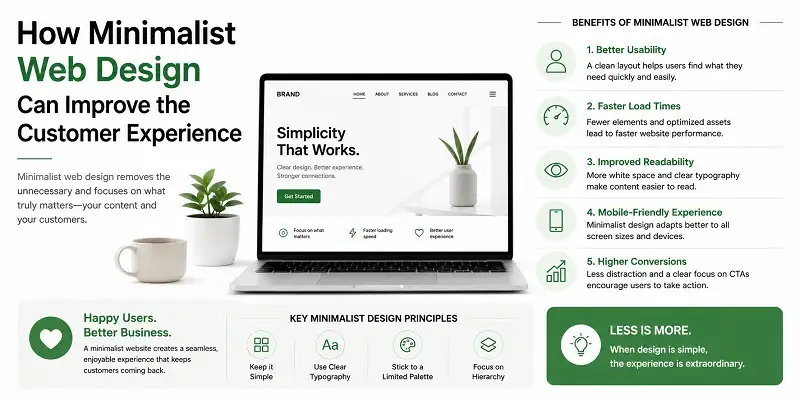
Just start from the basics and then construct your website gradually rather than doing it all at once perfectly from day one. Use dependable software, go for a minimalist design, write content that addresses your customers’ queries, and above all else, keep the users in mind. Gradually, you will develop an amazing website that will work wonders for your business.
Conclusion
Learning how to create a Website for Your Business is one of the greatest investments you can make in today’s digital environment. A well-designed website does more than promote your goods or services—it helps generate trust, attract new consumers, and drive long-term company success. By following the steps in this tutorial, from planning and selecting the correct domain and hosting to designing your website, providing useful content, optimising for SEO, and maintaining its performance, you’ll be well equipped to develop a strong online presence.
Remember, your website should continue to adapt as your firm expands. Keep your material current, check performance, increase security, and concentrate on offering an exceptional user experience. With patience, consistency, and the appropriate technique, your website may become one of your most important marketing assets. Start constructing immediately, and take the first step toward expanding your company effectively online.
Also, read this knowledgeable article: Nasdaq Composite: A Complete Guide to the Tech-Heavy Stock Market Index