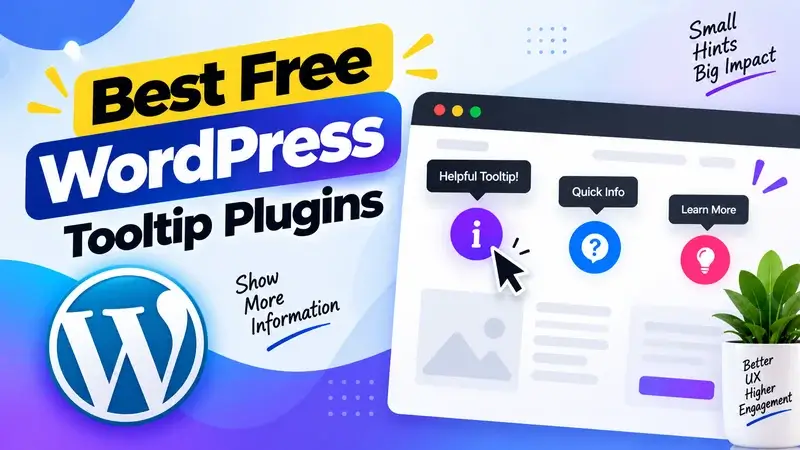
Hey, are you looking for the Best Free WordPress Tooltip Plugins? If yes. Then, keep reading.
In this blog, I have listed the 5 Best Free WordPress Tooltip Plugins that you can use to display all the important information to your website visitors.
With the help of these plugins, your visitors or users can get all the important information by “mousing over” the elements. To create documents of important information, you can also use knowledgebase and documentation plugins for your WordPress websites.
So, without wasting more time, let’s start.
1. CM Tooltip Glossary
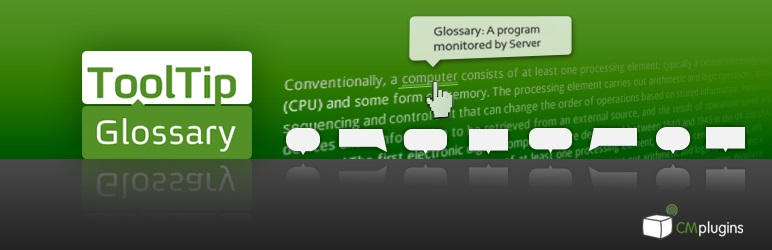
CM Tooltips Glossary is a powerful and popular Tooltips plugin for WordPress websites. With the help of this plugin, you can create unlimited Tooltips in your WordPress websites.
This plugin allows you to display a tooltip to show important information when your website users hover over the important term. With the help of this plugin, you can also create a responsive glossary index easily.
This plugin is super easy to use and provides lots of important features. For example, it helps you control the location and area where you want to show a tooltip; offers multiple filters to optimize the tooltip window, and downloads the length of the description.
2. WordPress Tooltips
WordPress Tooltips is also one of the most popular Tooltip plugins for WordPress websites. This plugin allows you to insert Text, Images, Videos, and Audio into Tooltips.
Whenever your website visitor or user hovers the cursor over an important term, a tooltip box will appear. This plugin also supports a glossary. You can enable tooltips on any page and post by simply using shortcodes.
This plugin offers both free and premium versions to its users. The free version has lots of awesome features, such as three color scheme options, 100% responsiveness, and mobile device support.
It gives you the option to add tooltip animation. With the help of this plugin, you can Enable / Disable tooltips for text, experts, Images, and post tags.
3. Hide Tooltips on Hover
Hide Tooltips on Hover is a smart solution for WordPress users who want to keep their site design clean and distraction-free. Usually, browsers display native tooltips by hovering the element with a title attribute. Although they can be informative, they frequently do not match your site’s style, seem old-fashioned, or are just unnecessary. This is corrected by this plugin, where all title attributes are replaced with aria-label attributes.
Its best thing is that it does not interfere with accessibility screen readers since they are still able to read the information without displaying those default tooltips. This will render your site more approachable and visually uniform, and at the same time inclusive to everyone who visits the site. If you’re building a professional site and want every detail to match your design, Hide Tooltips on Hover is a must-have free plugin. It is easy, light, and also complements other audience engagement tools by making the browsing process smoother and more enjoyable for your visitors.
Key Features:
- Removes native browser tooltips
- Keeps your design clean
- Accessibility friendly
- Lightweight and simple
- Easy to use
4. ACF Tooltip

If you are looking for an easy-to-use Tooltip plugin for WordPress websites, then you can use this. With the help of this plugin, you can add a help symbol to the field labels and generate Tooltips.
This plugin is highly customizable and 100% responsive. It looks good on all mobile devices. This plugin offers 7 filters that help adjust the design of tooltips based on their behavior.
This plugin works well with all modern web browsers. ACF Tooltips is highly customizable, which means you can easily customize the tooltips based on your preferences and design needs.
5. Tooltipy
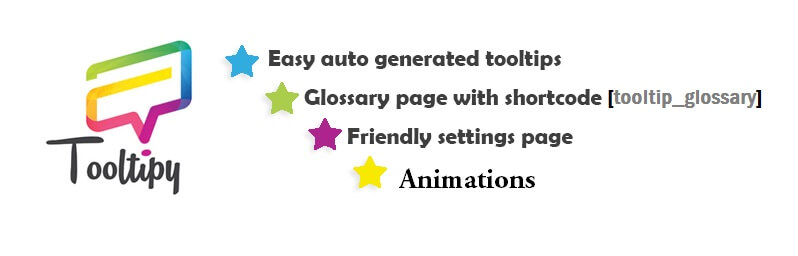
Tooltipy is a basic but powerful WordPress plugin that allows you to automatically create tooltipy boxes on your technical keywords to make them responsive. Rather than confusing your visitors with jargon or reading about your explanation, Tooltipy lets you provide short, clear definitions which appear whenever a user hovers over a word. This allows your site to be easier to read and provides a better browsing experience of your site to your audience. Even better is the fact that the tooltips are completely responsive and thus, they appear stunning in desktops, tablets, and mobile handsets.
You can have a blog, an educational site, or a company site with industry-related terminology, and Tooltipy will make sure your visitors are not confused but remain educated without making your content cluttered. It not only enhances clarity but also helps focus visitor attention on important details, making your pages look neat and professional. Tooltipy is one of the most useful free WordPress tools to use in case you wish to make your content easier to understand and interact with your audience.
Key Features:
- Automatic Tooltips
- Responsive Design
- Clean Explanations
- User-Friendly Interface
- Content Enhancement
FAQ’s
What are WordPress tooltip plugins, and what are they?
WordPress tooltip extensions enable you to provide additional information whenever users pass their cursors over particular words or objects. They assist in the explanation of complicated words without complicating your work. This enhances the user experience, makes your pages clean, and makes your webpage more interactive and comprehensible.
Why should I use tooltip plugins on my WordPress website?
Tooltip extensions ensure that your content is more user-friendly, as you can have a quick explanation without having to send the user to another page. They contribute to the minimisation of confusion, better reading, and retention of visitors. This may also enhance the amount of time on your site, which is a good factor in search engine optimisation and user experience.
Are free WordPress tooltip plugins good for SEO?
Yes, free wordpress tool tip software can aid in SEO by enhancing content clarity and customer interaction. The longer a visitor spends and the more they engage with your content, the better signals it sends to search engines. Better usability and clean, informative pages will help in improving your search rankings in the long run.
Can I customise tooltip plugins easily?
The majority of WordPress tooltip applications are very customizable and user-friendly. Colours, styles, animations and placement can be changed based on your design of the website. It is also possible to add text, images, or videos to tooltips using many plugins, making your content more appealing and informative.
Which websites benefit the most from tooltip plugins?
Tooltip extensions can be applied to blogs, learning websites, online shops, and corporate websites. Any site containing technical terminology, product descriptions, or other significant explanations may be advantageous. They assist the user to grasp the content fast, make your site look more professional and enhance the overall user satisfaction.
Conclusion
In conclusion, using Free WordPress Tooltip Plugins is a smart way to make your website more user-friendly and engaging. Tooltips make it easier to understand complex terms, provide brief explanations, and keep your content clean without overwhelming the reader. Whether you are running a blog, an eCommerce store, or an educational platform, these plugins help visitors navigate smoothly across any device. They also play a key role in optimizing user experience in ecommerce websites by improving clarity and usability as users interact with your content. The best part is that you don’t need to spend anything, as many free options offer excellent functionality and enhance overall readability.
Available in the digital era where internet users want to find out the information they need fast and understandably, tooltips will enhance the overall experience of the browsing process and make your customers more interested in spending more time with the site. Similarly, exploring the ways virtual reality is used to provide immersive customer experiences shows how digital tools can transform interactions, making your content easier to follow while also ensuring your website looks more professional and polished.