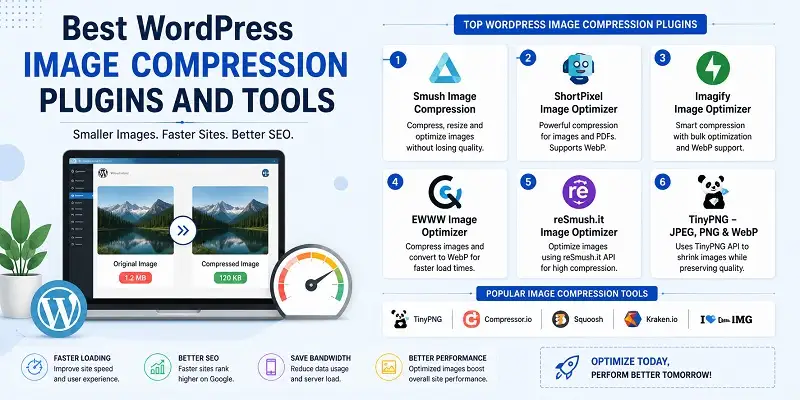
Website loading time is a key factor in SEO today. Images often slow down WordPress sites. High-quality pictures improve user experience. Unoptimized images can slow down your site. They hurt core web vitals and lower Google search rankings. In 2026, choosing the right WordPress image compression plugins is crucial. Modern tools support technologies like AVIF, WebP, lazy loading, CDN, and bulk optimization.
Whether you have a personal blog or a business website, you’ll see better LCP and lower bounce rates. Choosing the right plugin will also improve the experience for your visitors. In this article, we compare the top WordPress image compression plugins and tools.
The best WordPress Image compression Plugins are as –
1. ShortPixel image optimizer
ShortPixel is a flexible plugin. It works well with most WordPress themes. It’s lightweight and easy to install.
Once you activate the plugin, it will automatically resize your PDF documents and all your old pictures. New images are automatically optimized after being added to the media.
Let’s look at the other features of the plugin: –
- Auto conversion to JPG file from PNG
- This allows wholesale optimization of images.
- Shortpixel also optimizes thumbnail images.
- Even customize the images in Nextgen Gallery.
- You can compress any file size using this plugin.
- This plugin allows adding web images generated within front-end pages using the image tag.
- The plugin compresses most image types like JPG, PNG, GIF (still or animated) images, and also optimizes PDFs.
2: Optimize Image Resizing
The optimized image resizing plugin only changes an image’s size when necessary. This means the image size is optimized only when requested. There’s no automatic optimization for all images.
The image is resized only once. Then, later, the images are commonly used in WordPress. So if we try to resize images repeatedly, then it is not possible with this plugin.
More features of the plugin are as follows
- No optimization plugin is required for optimization.
- The plugin helps you to evaluate your website.
- The plugin has a fixed method to remove previously generated image sizes. To do this, Tools >> then, remove the image size and click on the button, and proceed to the cleaning.
3. Resize Image After Upload
This WordPress support plugin has over 50,000 active installs and a five-star rating. Resizing the image after the upload is a free plugin.
This plugin is the work of ShortPixel.
The following are the features of the resizing image of the upload plugin:
- Allows configuring image dimensions.
- Recompress uploaded JPEG images.
- Automatically sizes JPEG, GIF, and PNG images.
- Reduce server space and contribute to speeding up the WordPress website.
4. reSmush.it Image Optimizer
The reSmush.it Image Optimizer plugin has a rating of 4.5 stars. It also boasts over 40,000 active installations. The plugin is free and well-known.
It also allows a greater file size of 5MB with compression. It accepts API for PNG, GIF, and JPG. Also, it allows wholesale image optimization in 2 clicks.
Account Features
- Version:0.1.22.
- Last updated:1 month ago.
- Active installations:60,000+.
- WordPress Version:4.0.0 or higher.
- Tested up to: 5.0.3.
5. EWWW Image Optimizer
The EWWW Image Optimizer plugin has a 4.5-star rating. It boasts over seven million active installations. This plugin is built by Shane Bishop, and it can be found in WordPress Plugins.
The Ewww is easy to install; it has I/O, and it retains media library storage by auto image optimization.
It speeds up your WordPress site and boosts your search engine ranking. Also, it saves bandwidth along with storage.
Other Features –
- There is a free image backup in it.
- Automatically converts images into the best possible file format.
- This allows pixels to choose the correct compression or high compression options.
- You can optimize any file size by optimizing the automatic background and parallel optimization.
6. WP Retina 2x
WP Retina 2X is built by Jordan Meva. This plugin has a rating of 5 stars and has more than one million active installations. WP Retina 2X is a well-maintained and recently updated plugin.
The plugin works on the two-way genre. This makes an image file that needs high-DPI devices. It shows up based on the visitor’s device.
Other important features –
- Optimize images faster.
- Automatic optimization of the image.
- Creates a responsive image format.
- The retina method supports a variety of other methods that help your viewers to provide a quality image.
7. Compress JPEG & PNG images by TinyPNG
Use the TinyPNG plugin to compress JPEG and PNG images. This helps speed up loading times while keeping image quality intact.
This plugin has a rating of 4.5 stars and has more than one million active installations.
Other features –
- Compress an animated JPG file.
- An advantage of bulk customization.
- Also compatible with the WooCommerce forum.
- When an image is uploaded, the plugin automatically optimizes the image.
- This allows background customization to speed up image optimization.
Many people choose to compress images before uploading them to the WordPress Media Library. We’ve gathered some of the most popular photos and software, including this one.
8. WP Smush
WP Smush is another popular WordPress image compression plugin. It automatically compresses images when you upload them. You can also use it to optimize your old image files.
You can set the greatest image resolution. Also, measure the sizes you need while compressing your images.
The free version of the plugin does not ask you to create an account to use your API key.
The bulk optimization feature lets you optimize up to 50 images at once. You can run it again to compress more images.
Account Features –
- Version:3.1.1.
- Last updated:6 days ago.
- Active installations:1+ million.
- WordPress Version:4.6 or higher.
- Tested up to 5.1.
- PHP Version:5.2.4 or higher.
Comparison Table
| Plugin Name | Best For (Use Case) | Key 2026 Technology | Free Tier Limit |
| ShortPixel | Best Value & SEO | AVIF + NextGEN Support | 100 Credits/Mo |
| Optimole | High-Traffic / Hands-Off | Adaptive CDN Delivery | 5,000 Visits/Mo |
| EWWW I.O. | Privacy & Local Power | Unlimited Local Lossless | Unlimited (Local) |
| Smush | Beginners / Easy UI | Lazy Loading + 1-Click Fix | Unlimited (Basic) |
| TinyPNG | Smart Minimalist Design | High-Quality Lossy AI | 500 Images/Mo |
Frequently Asked Questions
Why should I prioritize image compression for my WordPress site in 2026?
It’s important because it improves your Largest Contentful Paint (LCP). This is crucial for Google rankings. High-quality images make up 90% of your web page’s size. They help your site load in under 2 seconds, which lowers your bounce rate.
Which image format is best for WordPress performance this year?
AVIF will be the best choice for 2026, followed by WebP. The AVIF format offers about 50% more compression than JPEG. It does this without losing visual quality. The new plugins can automatically change your old JPEG and PNG images into these formats.
Will compressing my images ruin the visual quality for my visitors?
No, not when you opt for “Lossy” or “Glossy.” Modern algorithms aim to remove unnecessary data that we can’t see in images. “Lossless” keeps all your image’s pixels. In contrast, “Glossy” cuts the number by 60-70% but doesn’t distort the picture.
Can I compress images that are already uploaded to my Media Library?
Many premium plugins have a “Bulk Optimization” feature. This lets you scan and optimize thousands of old images all at once. This is a great way to boost WordPress performance. It speeds up loading times for older posts and frees up server space.
Is a cloud-based or local compression plugin better for my server?
Cloud service plugins are often more efficient. They use external servers for optimization. This keeps your hosting environment from slowing down during image compression or processing. Choosing the right tools can boost performance and efficiency. This helps long-term growth, like Educationbeing.com: Learn – Lead & Excel. If you have a limited budget, local plugins can help. Keep in mind that they might use more CPU on your server.
Conclusion
Choosing the right image compression plugins for WordPress is key. It boosts website speed, SEO, and user experience. By 2026, a fast-loading website will be crucial. Google will focus on Core Web Vitals. This includes Largest Contentful Paint (LCP) and responsiveness. Websites that perform well often lead to higher conversion rates for verified businesses. Users tend to trust and engage more with fast, reliable platforms. Modern WordPress image compression plugins have great features. They support AVIF and WebP formats. They also include lazy loading and CDN integration.
Cloud-based and locally hosted solutions each have unique benefits. Choosing the right one depends on your website’s needs. Using the best SEO tips can boost search rankings. This setup also lowers bounce rates, saves server resources, and improves website performance. Proper image optimization also improves usability, strengthens SEO, and delivers better long-term results.