Hey, do you want to add a YouTube video or blog post to your WordPress website? Well, you can do that with a Good YouTube video gallery plugin. In this Post, I have listed the 6 Free WordPress YouTube Plugins that you can use to add YouTube videos to your WordPress blog post.
By integrating relevant videos in your blog post, you can increase the average time your visitors spend. With the help of video content, you can improve the visitor’s engagement. Nowadays, people prefer to watch videos and read FAQs about the product before buying. To add great FAQ pages to your website, you can use free WordPress FAQ plugins that make it easy to organize and present information clearly.
So, without wasting more time, let’s start the list.
1. Feeds for YouTube

If you are looking for a highly customizable, easy-to-use YouTube gallery plugin for WordPress websites, then you can use this. It is fully responsive. With the help of this plugin, you can add multiple feeds from different YouTube channels to your Website.
Features
- It is fully customizable
- With the help of this, you can display videos in multiple layouts
- Super easy to use
- It offers a built-in YouTube feed Widget
- It is Lightweight and super fast
2. Embed Plus for YouTube

Embed Plus for YouTube is one of the most powerful YouTube gallery plugins for WordPress websites. It is compatible with the Gutenberg block editor. You can install this plugin to integrate YouTube videos into your blog post. It is compatible with all modern WordPress themes.
Features
- Compatible with Gutenberg block editor
- Improved ajax theme support
- This plugin provides Simultaneous playback control
- Provide easy insert button for both visual and text mode of the editor
- Shortcode support
3. Gallery Video

This Plugin is super easy to use and 100% responsive. This plugin offers 16 free video gallery themes. It is highly customizable, which means you can easily customize video galleries based on your design needs and preferences. Gallery Video is compatible with all modern WordPress themes.
Features
- It offers a user-friendly editor
- It offers 16 free video gallery themes
- Gallery Video is 100% responsive and touch-friendly
- It supports YouTube, Vimeo, Wistia, MP4 videos
- Gallery Video is compatible with all modern WordPress themes
4. YourChannel

YourChannel is one of the most flexible and powerful YouTube Gallery plugins for WordPress websites. It is compatible with all modern WordPress themes. You can easily use this plugin to add YouTube videos to your blog post. It is fully responsive and comes with a smart cache system that helps the web page to load fast.
Features
- It provides easy shortcode instructions in the post editor
- This Plugin offers smooth transitions
- YourChannel comes with a smart cache system that helps the web page to load fast
- It is 100% responsive and looks good on all mobile devices
- Shortcode works in Post, page, or custom fields
5. WP YouTube Lyte
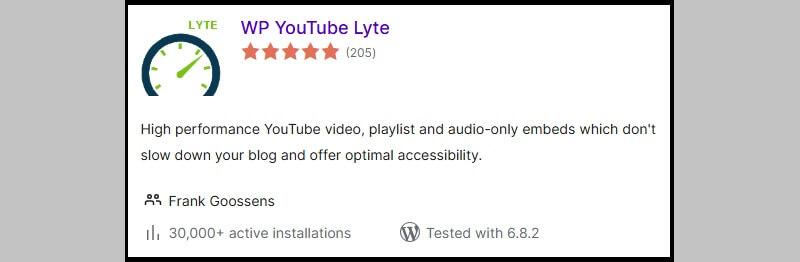
WP YouTube Lyte is one of the best free WordPress YouTube plugins for speeding up and enhancing your site’s performance when embedding videos. It utilises “Lite YouTube Embeds” instead of loading the full YouTube player right away. These seem exactly like regular YouTube videos, but they only load the hefty player when you click on them. This method cuts down on page load time by a lot, particularly if you have more than one video on the same page.
The plugin also lets you save YouTube thumbnails on your computer, which speeds things up even more and may make things more private. It could also assist with GDPR compliance since it doesn’t always need to send queries to YouTube’s servers. This is a terrific solution for bloggers, companies, and content producers who want to keep their site quick, easy to use, and private while still giving people access to high-quality video. With capabilities like these—and by pairing them with free video editing software—you can make interesting movies without slowing down your website.
Key Features:
- Lazy Load Videos
- Responsive Design
- Thumbnail Caching
- Easy Setup
- SEO-Friendly
6. YouTube Channel

YouTube Channel is one of the easiest and most user-friendly WordPress plugins for YouTube video galleries. It is fully responsive and looks good on all mobile devices. It is highly customizable, which means you can easily customize your YouTube video gallery based on your design needs. You can easily use this plugin to integrate videos into your Blog Posts to make them more engaging for your users.
Features
- It provides you an option to get a random video from any of 4 resources
- With the help of this plugin, you can show and hide the video title
- It is fully responsive
- It is compatible with all modern WordPress themes
- With the help of this plugin, you can also choose to display video as a thumbnail
FAQ’s
What are WordPress YouTube plugins, and why should I use them?
WordPress YouTube video extensions enable you to add and show YouTube video content with ease on your site. They enable you to build video collections, built-in channels, and layouts. These plugins enhance user engagement and reduce the number of people who leave your site by making your content more enjoyable to view.
How do YouTube plugins improve website engagement?
YouTube plug-ins are interactive add-ons that will embed videos in your blog posts. Readers would rather watch videos as well as read materials and spend more time on your site. This enhanced interaction can result in improved SEO performance and likelihoods of conversion of user interaction.
Are free WordPress YouTube plugins good for SEO?
Yes, free YouTube plugins may assist in SEO through enhanced page interaction and bounce. Video loading speed is also optimised by some of the plugins, thus improving the performance of the site. The accelerated loading of pages and interesting content sends positive signals to the engines, and your webpage will be ranked higher in search results.
Can I customise YouTube video galleries on WordPress?
YouTube has most of its plugins with high customisation. Depending on the design of your website, you can change layouts, display styles, thumbnails and video settings. This will assist you in developing a more professional and branded video gallery that will create a more user-friendly experience.
Which type of websites benefit from YouTube plugins the most?
YouTube plugins are well-suited for blogs, business websites, eLearning platforms, and product-based sites. They are useful for any site that uses video content for tutorials, reviews, or promotions. These plugins help deliver information effectively, attract more visitors, and keep users engaged with rich media—while supporting website content marketing strategies startups use to grow their online presence.
Conclusion
That’s it for this blog post on the best Free WordPress YouTube Plugins. Adding videos to your website is simple with these plugins. They also maintain your site fast, responsive, and easy to use. The correct plugin may allow you to show off lessons, product demonstrations, or any other video material without slowing down your site. If you’re wondering what is YouTube SEO tips to rank your videos on YouTube search, understanding and applying them alongside the right tools can help boost both your video visibility and your website’s performance. I hope this list has helped you find some good things to try on your WordPress blog.
Please share this article with your friends or anybody else who would find it beneficial if you did. More people will find these resources if you assist. Also, feel free to leave any questions, experiences, or ideas you have concerning WordPress YouTube plugins in the comments area below. I’d love to read what you have to say and answer. Have fun embedding videos!