
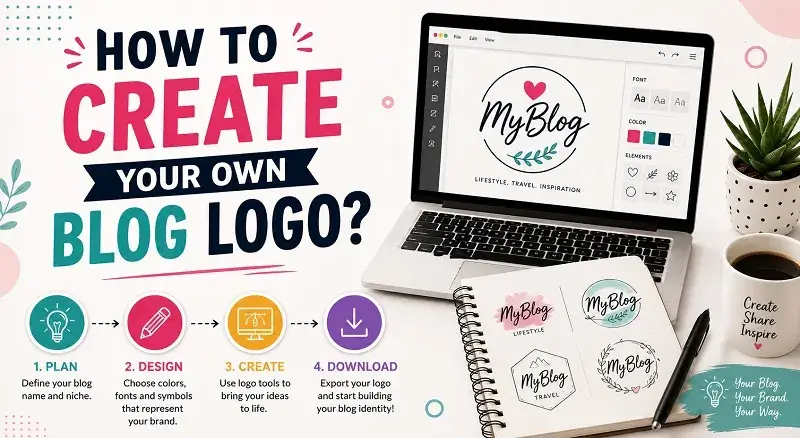
You’ve likely checked off most, if not all, of the requirements for starting your blog. All that is left now is to crown your blog with a logo. To make your blog stand out among many online, focus on a great logo design.
There are several ways to go about this. You can hire a graphic designer in person or use a freelancer platform. Freelancer logo design platforms like 99designs link you to many graphic designers. You can pick the best one from the group.
Apart from that, you can also choose to create the logo by yourself if you have the skills and tools. This can even prove to be better since it won’t cost you a dime, and no one knows more about the blog than you. If this is the way you want to go, we’ll help you get started.
How To Create Your Own Blog Logo
1. Assess Your Audience
The first step in creating a logo is knowing your blog’s audience. This knowledge shapes every part of the design process. A strong logo should connect with your visitors and reflect the purpose of your content. Your logo needs to fit your blog’s niche, style, and audience. It’s similar to how you create SEO-friendly content that aligns with user intent and interests.
2. Go With The Best Color Palette
It goes without saying that you don’t pick a color that contradicts the color theme of your blog. Imbue your logo with a color that either has a congenial or complementary sense to that of your blog.
If you have not chosen your theme yet, you can build it around your logo. However, it is often better to select your theme colors first and then adapt the logo to match them. Tools like Hailuo AI can turn your ideas into visuals using AI. They help create unique designs based on your branding concepts. Understanding the right colors for your blog’s niche and audience is key. Studying color psychology reveals the feelings and messages each color expresses.
3. Choose The Right Font
The font you use on the logo is as important as the icon. Although the eyes are likely to notice the icon, the next center of focus is usually the font. So, you need to use a font that perfectly expresses your blog’s personality. There is a free tool that allows text to be added to any icon. It’s Iconizer. This is an online icon maker that lets you place text on an icon and select its font, size, and position.
Besides, the font needs to be in line with the nature of the blog. Another aspect that you should look at is clarity. There are several types of fonts that can be applied in logo design, so choose wisely.
4. Make More Than One Version
It is safe to conclude that you are done with most of the logo components. Start creating different versions of your logo. Put your best effort into each one.
You can tweak the layout, inclination, and positioning of the elements. You can also test different shades of the same color. Carefully weigh the versions and choose one that better fits the blog.
5. Get A Logo Design Tool
It’s time for creation. Now that you know what your logo will look like, you can embark on bringing the sketch to life. Choose a good and easy-to-use design tool for this task. You can also use software such as an automated logo maker. Or, with a few tutorials and guides, you will be there yourself. You can use tools like Adobe Photoshop, Illustrator, Inkscape, and CorelDRAW.
Blog Logo Maker Comparison Table
| Tool | Best For | Free Version | Ease of Use | Customization | Download Quality |
|---|---|---|---|---|---|
| Canva | Beginners & bloggers | Yes | Very Easy | High | HD PNG, SVG (Pro) |
| Adobe Express | Professional designs | Yes | Easy | High | High Quality PNG |
| Looka | AI-generated logos | Limited | Very Easy | Medium | Paid High-Res Files |
| Wix Logo Maker | Fast logo creation | Limited | Easy | Medium | Paid Downloads |
| LogoMakr | Simple custom logos | Yes | Easy | Medium | Free Low-Res / Paid HD |
Best Choice Based on Needs
Best for Beginners: Canva
Canva remains the go-to platform for those who want quick performance and easy setup. Canva’s drag-and-drop system is perfect for businesspeople. You don’t need design skills to create an attractive look. The software offers many templates and brand kits. Users can quickly go from zero to hero in their design process, often in minutes.
Best for Professional Branding: Adobe Express
Adobe Express combines easy DIY tools with professional software. As a top graphic design tool, it uses Creative Cloud. You have more control over fonts, layouts, and branding than on many other platforms. It’s great for growing businesses. It works well with Photoshop and Illustrator. This keeps high-resolution graphics and polished branding across various media formats.
Best AI Logo Generator: Looka
Looka stands out in 2026 because it goes well above the basics and simply generates some sort of “clip art.” Looka uses smart AI to learn your design preferences. It offers more than a hundred unique designs tailored to your industry. It also uses color psychology principles. Looka goes beyond logos. After you create your logo, it provides a fully automated “Brand Hub.”
Best Quick Solution: Wix Logo Maker
If you have limited time but want to spend it wisely, choose Wix Logo Maker. Answer a few quick questions about your brand’s vibe. Then, you’ll receive a balanced logo that you can use right away. This tool is perfect for startups that cannot afford not to have a company presence anymore. Its main strength is seamless integration. When you create a website in Wix, it updates your web identity in seconds.
Best Simple Free Tool: LogoMakr
LogoMakr is a straightforward choice for anyone wanting to create logos. It lets you be creative without limits and without a monthly fee. LogoMakr offers an easy-to-use online workspace. Users can explore millions of images and mix them with unique fonts. LogoMakr is the best platform for small projects like community events. It lacks the extra features of corporate software, keeping it simple and effective.
Frequently Asked Questions
Why is a logo actually important for a blog?
A logo acts as a “visual handshake” for your website. In the busy digital world of 2026, a strong first impression matters. It helps your brand stand out and shows professionalism and trust. A strong logo boosts positive customer feedback. It helps first-time visitors feel confident about your website. This can turn them into loyal customers.
What are the best tools to create a professional blog logo?
Canva is undoubtedly the top choice for anyone completely new to design. Looka is fantastic for creating automatic identities using AI technology. For scalability and customizability in high-resolution, think of Adobe Express or LogoMakr.
Can I create a blog logo for free?
Yes, with some limitations. You can use online apps to create logos for free. But, if you want higher-quality or vector versions, there’s usually a small fee. You can create a logo for free using Canva. Add your personal design elements.
What should a good blog logo include?
The best logos focus on simplicity and clarity. They need a strong brand mark or wordmark. Use a cohesive color scheme with two to three colors. Also, ensure the typography is clear for small screens. The logo should highlight your niche. This way, readers will know right away what you’re about.
Which file format is actually best for a blog logo?
PNG files work well for website banners and social media. They support transparency, which is a big plus. Besides, you should always have an SVG file of your logo. By 2026, your designs must be fully responsive. SVGs should resize without losing sharpness.
Conclusion
In today’s fast-paced digital world, your blog’s logo is more than just a visual element. It represents the core of your brand and plays a major role in establishing your online presence. Following effective tips to boost your agency brand visibility, a strong logo can show both readers and search engines that your blog is trustworthy, professional, and credible. It also enhances visual appeal and builds confidence in the information you share.
Pick AI tools like Looka or easy platforms like Canva and Adobe Express to boost your branding. Your goal should be to create a strong visual first impression. Know your audience. Use the right colors and formatting. Engage with tools to make your blog stand out online. Seize this chance to boost your branding and connect better with readers!